Homelabbers & self-hosters
Run Immich, Jellyfin, Nextcloud and 40 other apps without SSHing into each box. Free forever — and you finally have real backups.
Free planComposeBastion connects to all your Linux Docker servers from one place — deploy straight from Git, watch live fleet metrics, back up volumes, and recover whole apps. No agents required, no arbitrary shell.
Runs with one docker compose up — your servers, your data, your network.
From a single Raspberry Pi to a rack of production servers — ComposeBastion meets you where you are and scales as your fleet does.
Run Immich, Jellyfin, Nextcloud and 40 other apps without SSHing into each box. Free forever — and you finally have real backups.
Free planShip to a handful of cloud hosts, give teammates the right role, and get alerted before something falls over — without a platform team.
Business planManage many clients' Docker hosts from one console, with audited actions, per-host recovery, and priority support behind you.
Business & EnterpriseOne console keeps inventory, deploys, metrics, alerts, and recovery in sync — from a single homelab box to a rack of production servers.
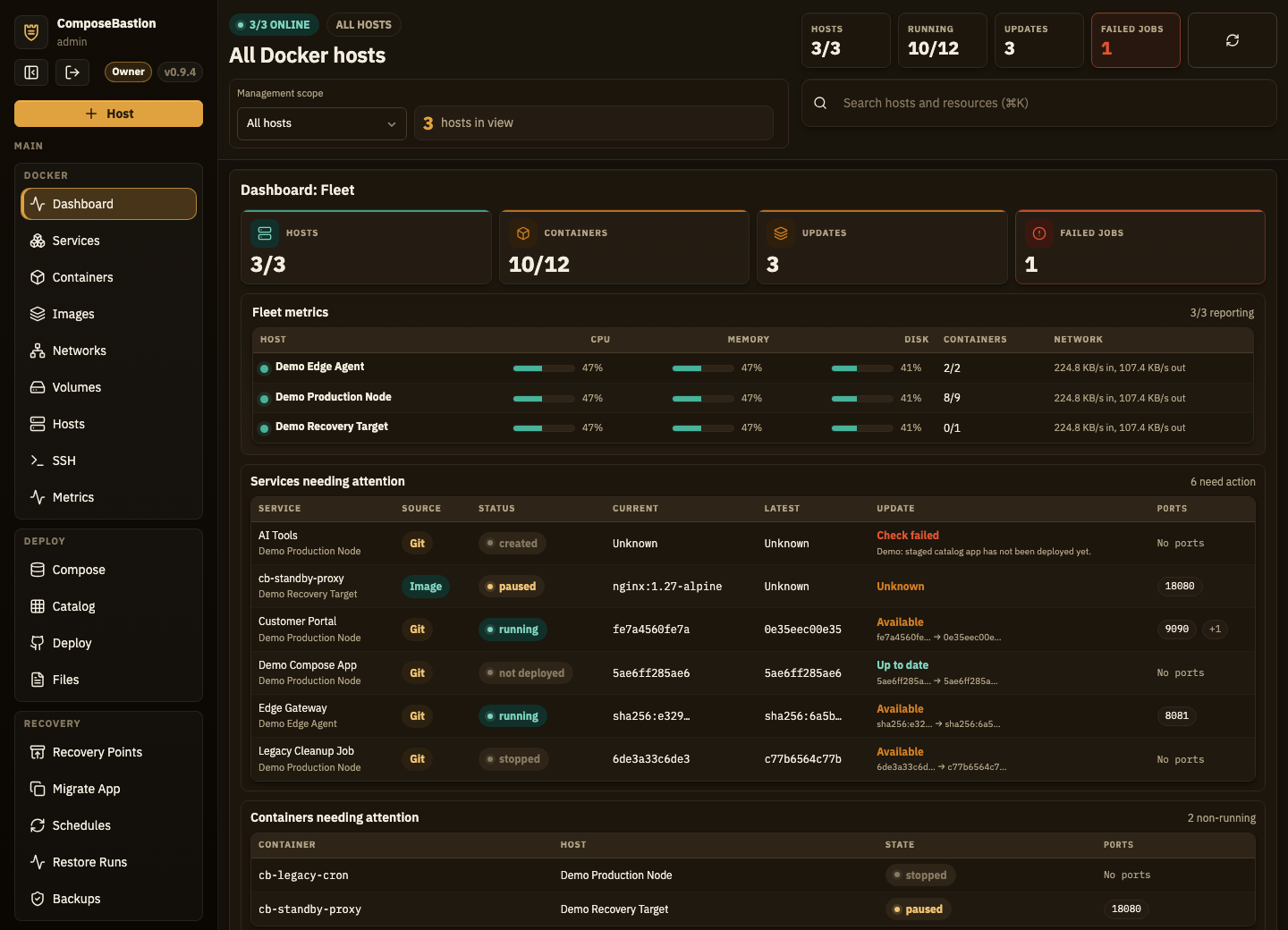
Add Linux Docker servers over SSH (key or password) or a lightweight agent. Background checks keep inventory and online status fresh across the whole fleet.
Containers grouped by the Compose project that started them, with Start, Stop, Restart, Redeploy, and Remove that fan out to the real containers.
Paste any Git URL — ComposeBastion clones it to the host and runs docker compose up -d. Updates are pull + redeploy with commit-based tracking.
Working image-update checks across Docker Hub, ghcr.io, lscr.io, quay.io and self-hosted registries, with per-stack auto-update policies and digest/risk context.
CPU, load, memory, swap, disk, network rate, and uptime per host — with gauges, per-mount disk usage, sparklines, and shared snapshots so viewers don't stack calls.
Volume backups, recovery points, restore drills, and host-to-host migration. Recovery readiness scores tell you which apps are ready, risky, or blocked before disaster hits.
Host and container alert rules plus CPU/memory/disk/swap/load thresholds, delivered to email and webhook channels — with silences and alert history.
Owner, admin, operator, and viewer roles with an audit log over every action. Inspect redacts secret env values for viewers while keeping the rest visible.
Every action is a typed background job — start/stop, pulls, prunes, deploys, backups, restores — with progress, correlation IDs, retry, and cancel. Never an arbitrary host command.
Managing Docker by hand across many hosts means a lot of ssh, copy-paste, and crossed fingers. ComposeBastion turns that into one calm console.
Self-host it on your homelab today, or tell us about your business setup and we'll get you early access with founder pricing.